Please be advised that we will be performing scheduled maintenance on Friday, September 25th, at 10:00 PM MST. During this window, BlueStep will be unavailable for approximately 30 minutes. We appreciate your patience as we continue to upgrade and enhance our services for you.
ManageRx is a pharmacy portal designed to give pharmacists, techs, and others, who are on the pharmacy side, access to information in real-time relative to the BlueStep communities they are serving. This is done by bringing data from all the BlueStep systems that are in the pharmacy's market that they are actively servicing. Data is brought into one place and divided into actionable categories.
Navigating the Warnings Module
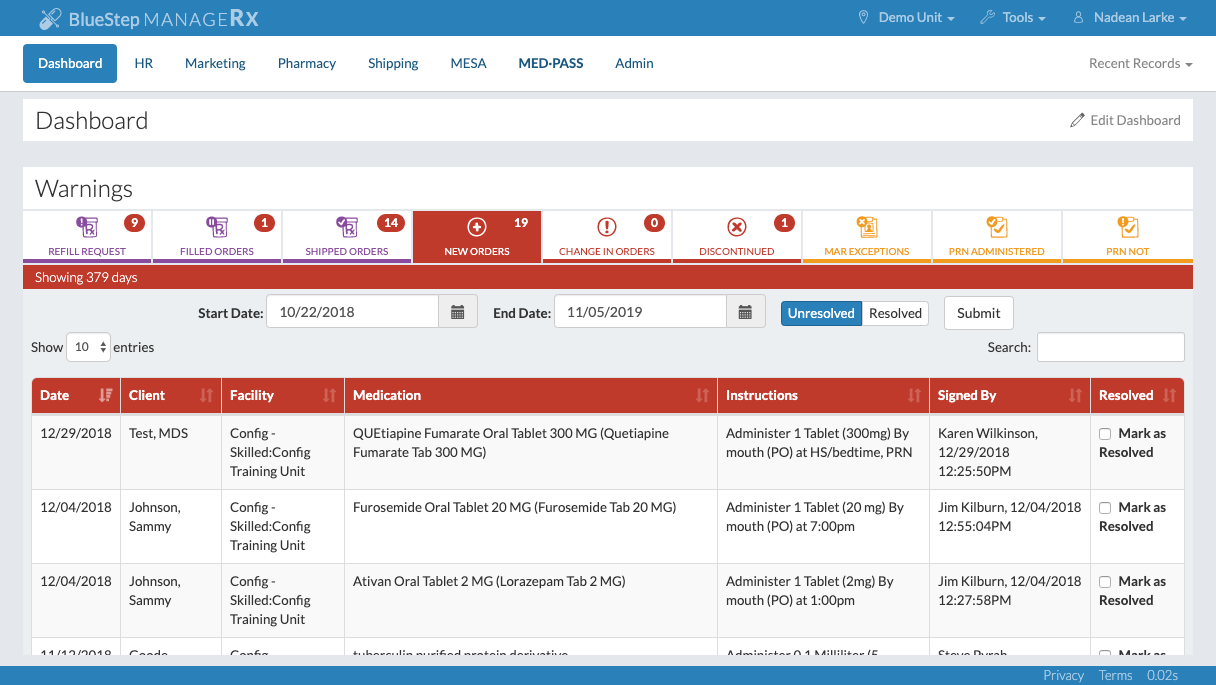
The different sections in the Warnings Module will vary based on the functionality being used in the community. Each tab shows the number of items pertaining to each section.
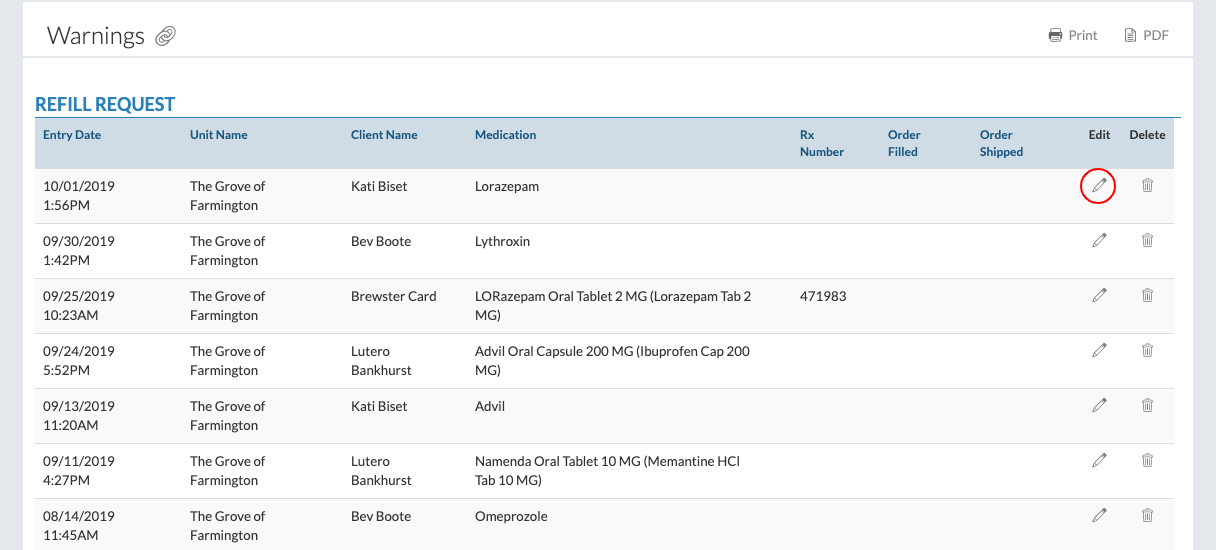
Refill Request
This section shows the medication refill requests, sorted by community.
Click on the community name to see the refill requests for that community.
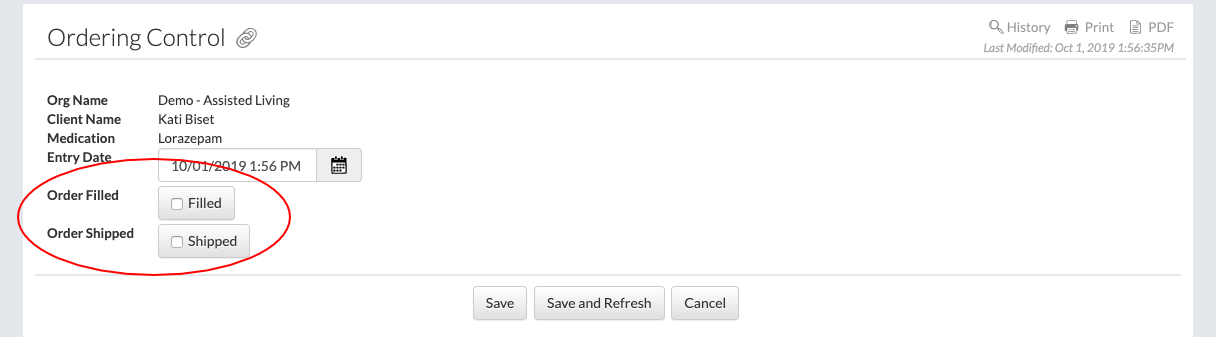
Select a refill request by clicking on the edit pencil.
The status of the refill request can be changed by selecting "Filled" and/or "Shipped."
Filled Orders
This section shows the filled medication orders, sorted by community.
Click on the community name to interact with a medication order in the same way as explained above.
Shipped Orders
This section shows the shipped medication orders, sorted by community.
Click on the community name to interact with a medication order in the same way as explained above.
New Orders
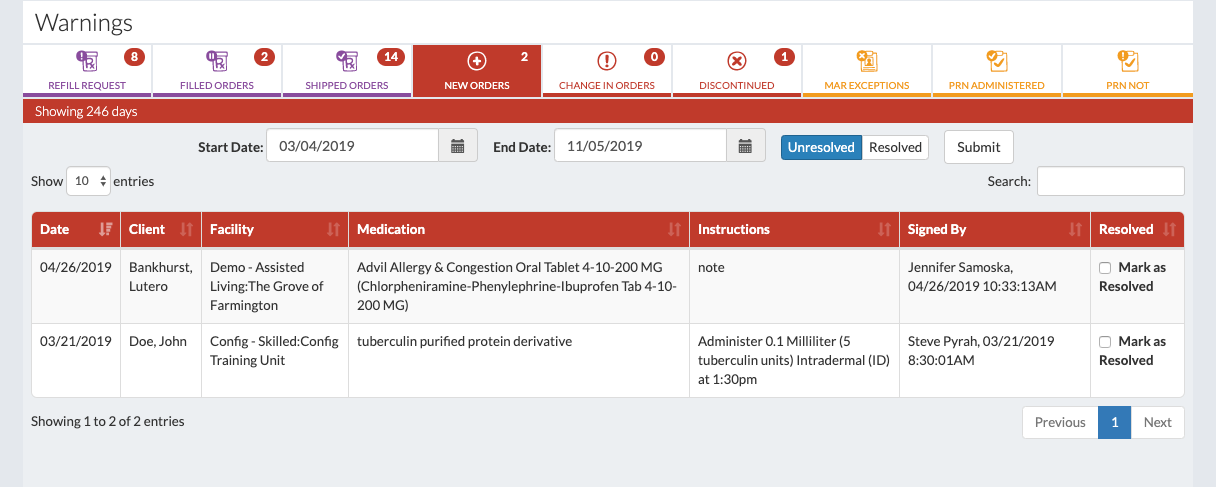
This section displays the orders of the buildings serviced by the pharmacy. These orders have been entered manually by the community/facility.
Basic information for each order is displayed in the table.
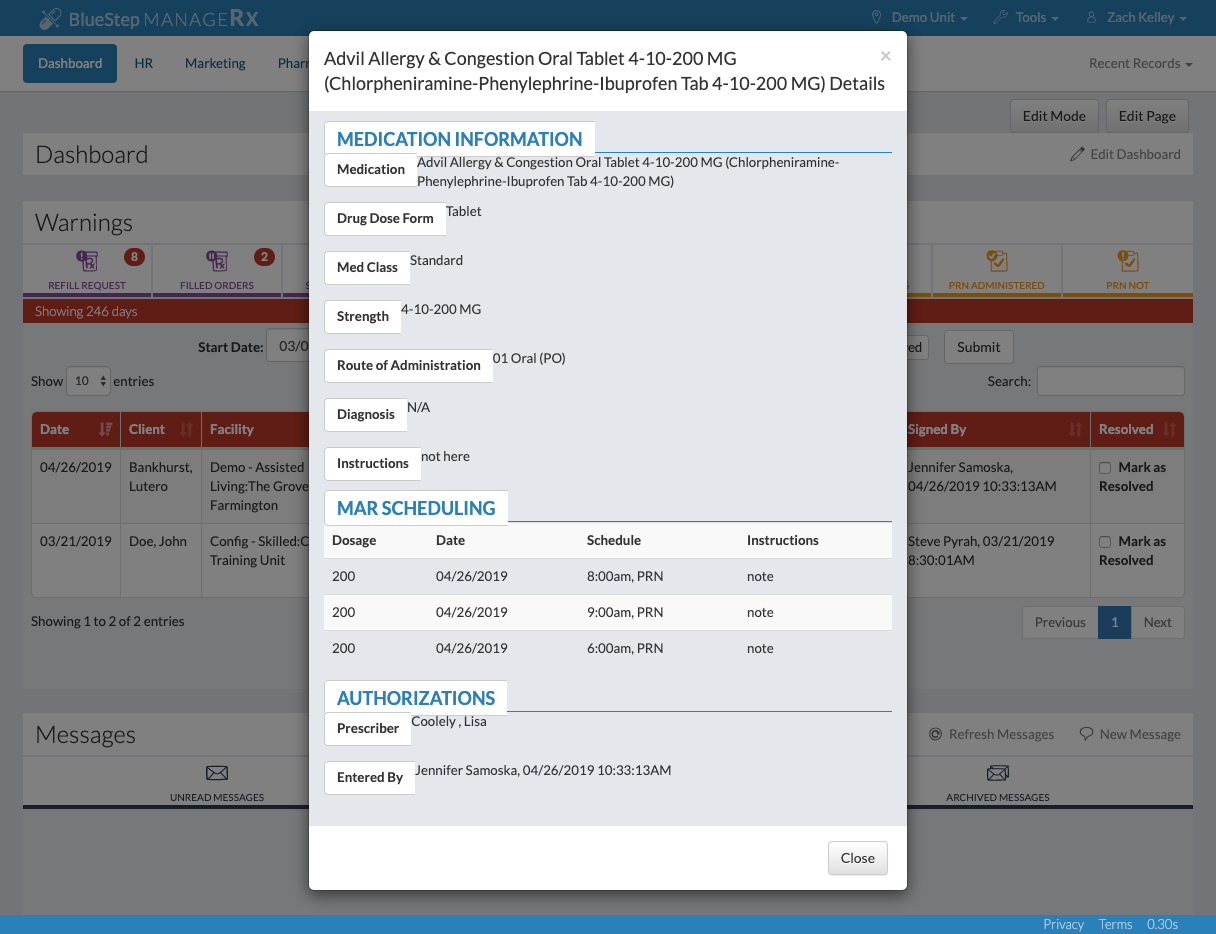
By clicking anywhere on the order, a more detailed view will be displayed.
Each order can be managed like a task. Select "Mark as Resolved" once the information has been entered into the PIS or once the task has been managed.
The search bar controls what information is displayed. Date searches and searches by unresolved and/or resolved orders can be made. Searches for any information in the system can be made.
Change in Orders
This section shows alerts whenever a community makes a change to a current order.
The pharmacy system can be updated for the next cycle fill based on this information.
Discontinued
This section shows discontinued medications.
The pharmacy system can be updated for the next cycle fill based on this information.
MAR Exceptions
This section shows medications that have been charted as an exception.
This is helpful to find residents who are habitually refusing medications or staff member who are consistently charting exceptions.
PRN Administered
This section shows PRNs that have been administered and why they're being administered.
This is helpful to find and track usage of PRN medications.
PRN Not
This section shows PRNs that aren't being administered.
This is helpful for time specific medications, such as allergy medications.
The medications listed here often times can be cleared from the med cart.
Navigating the Messages Module
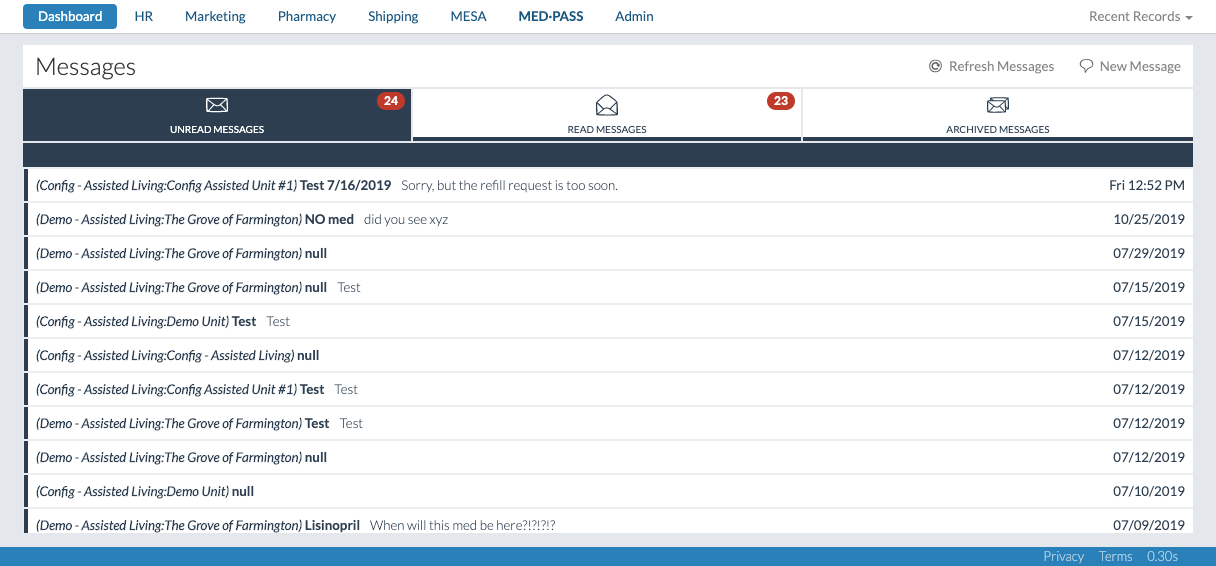
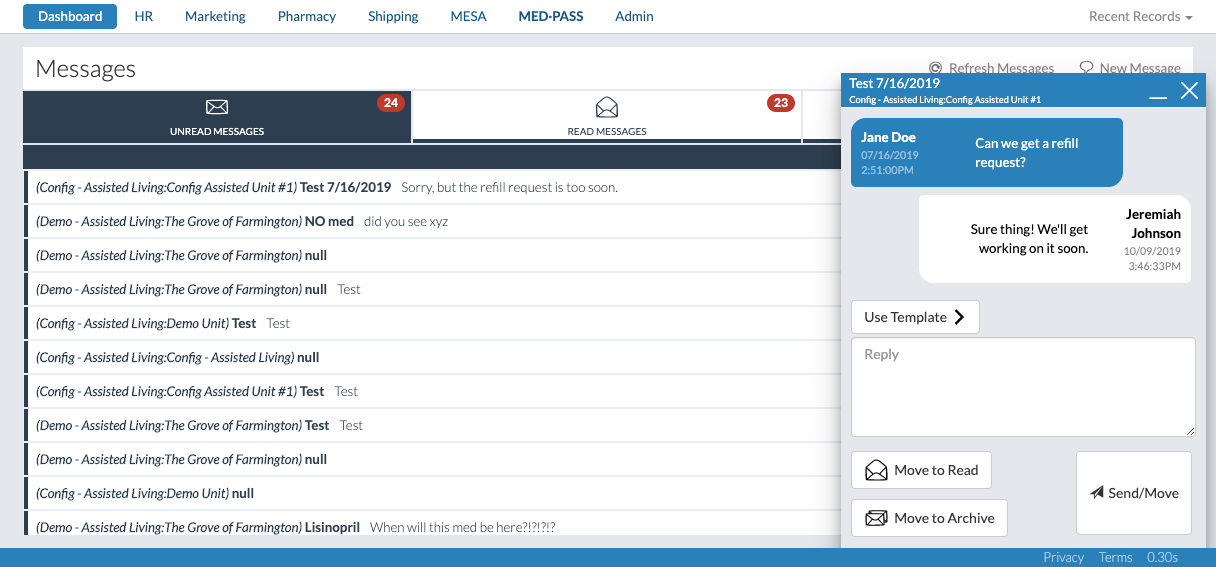
This module gives a community and a pharmacy the ability to chat back and forth in real-time.
The module is organized by Unread, Read, and Archived Messages.
Click on a message and the chat will appear.
Chats are topic based, and multiple users can be involved in each chat.
Templates can be created for chats, making the response to frequent questions easier.
When a message is sent, the recipient will receive an alert in their community's BlueStep system.
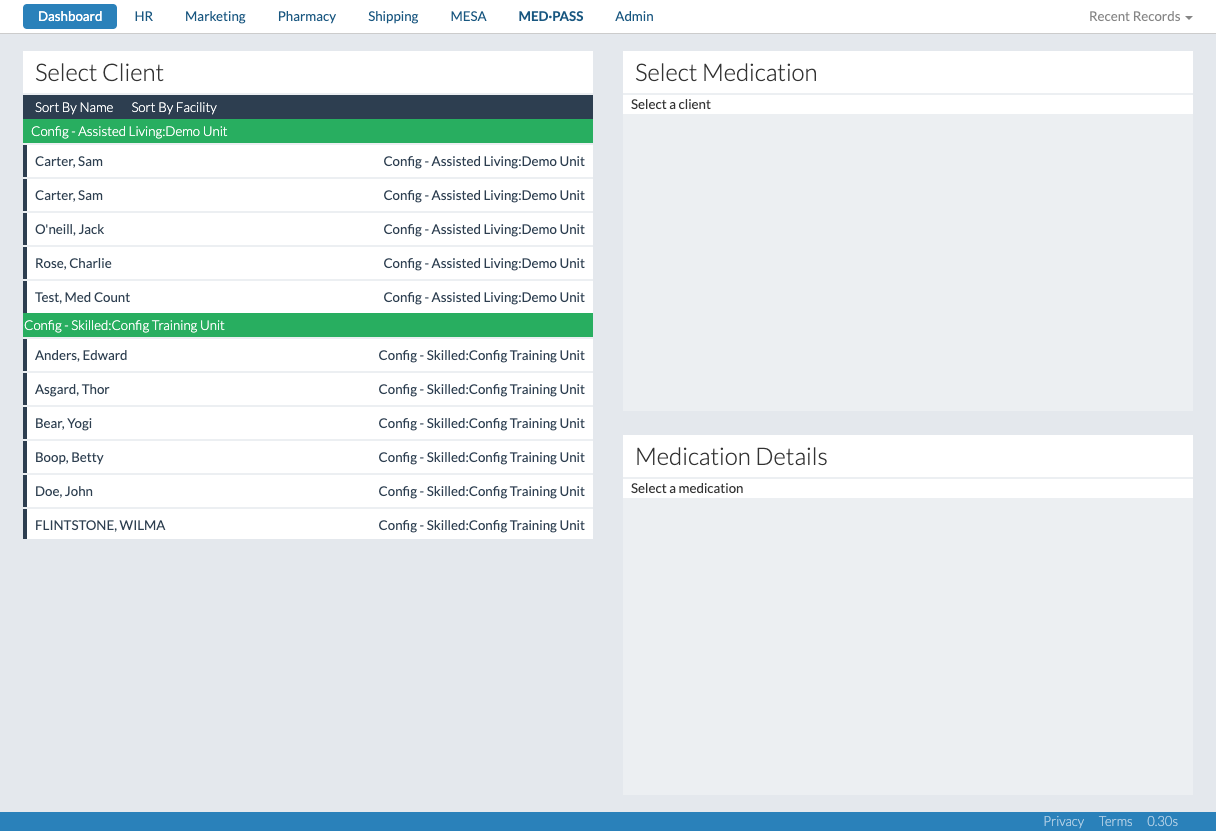
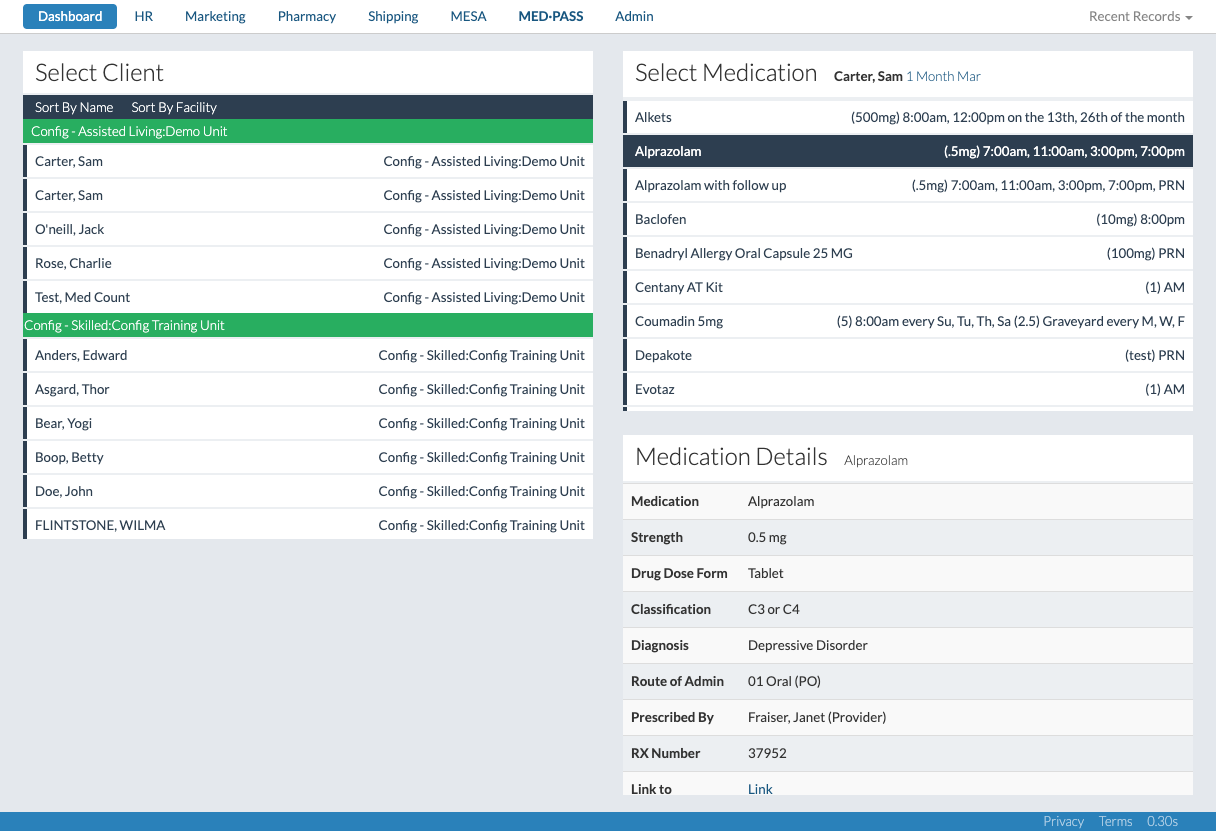
Navigating the Select Client, Select Medication, and Medication Details Modules
These modules are used to view specific medication details for different residents.
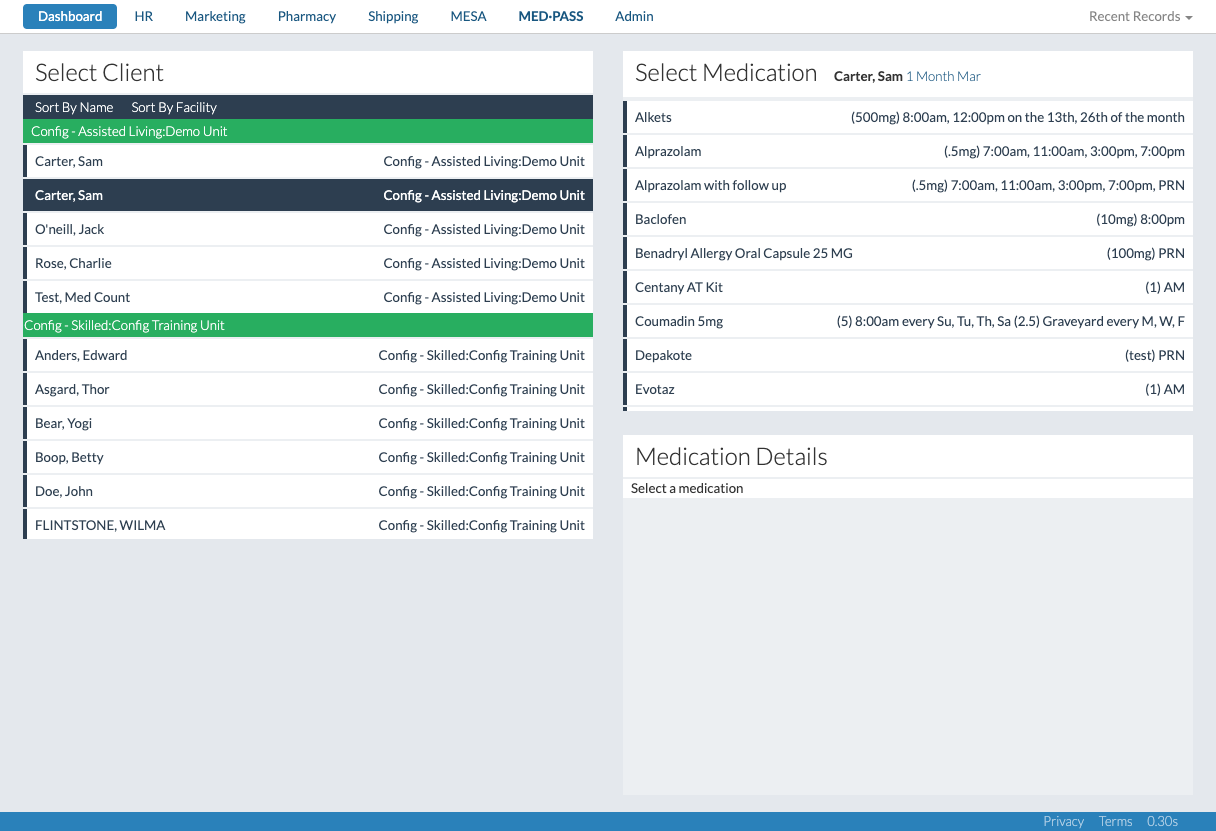
The Select Client module can be sorted by name or by facility.
When a client's name is selected, the Select Medication module will be populated with that client's medication information.
When a medication is selected, the Medication Details module will be populated with the medication details for that specific client.
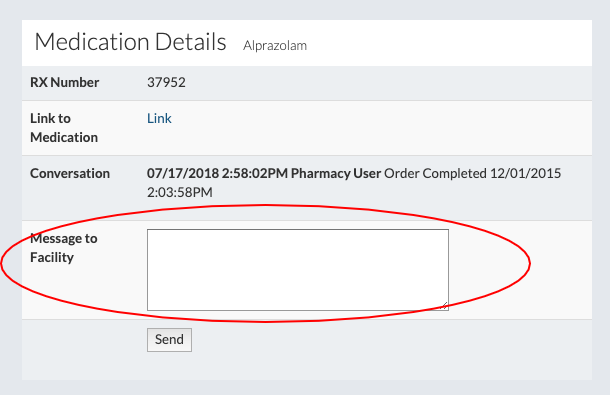
A specific message can be attached to this specific medication for this specific client.
This is not a chat message, it is a message that will appear in the medication record for the resident's chart.